Part One/Project 3: Surface and Depth

http://davidcampany.com/thomas-ruff-the-aesthetics-of-the-pixel/
http://jmcolberg.com/weblog/2009/04/review_jpegs_by_thomas_ruff/
These reviews consider the work of Thomas Ruff in his book JPEGS (2009). In this book Ruff takes archival images and enlarges them to a level at which the pixel structure of the digital image is obvious. In this way he aims to explore the nature of the photographic image in the digital era.
Company, in his review, draws an analogy between the pixels of the digital image and the grain of photographic film. He notes that “Analogue photography developed an aesthetics of grain quite early on, especially through reportage.” Of necessity such photography relied on fast film speed and associated with this was more prominent granularity of the negative. Pixilation is not the only factor distorting the digital image, a granularity can occur with fast ISO and associated reduction in resolution.
While film photography is often referred to as analogue to distinguish it from photography with electronic digital cameras, at a molecular level the film is also digital: a molecule of the photosensitive coating either reacts to the light, or it does not. I would argue that the grain of film and the pixilation and other artefacts represent the limits of the technique and they are analogous to the brush strokes of a painter. It is the role of the photographer to work with these technical limitations to create the aesthetic effect envisaged, in the same way as a painter might use prominent of less prominent brush strokes.
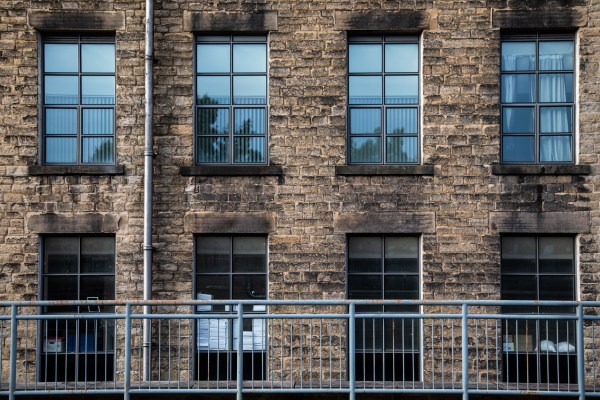
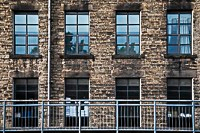
2018-10-07 EYV Ex1-3-9
Wren Nest Mill, Glossop
Pixel-3
Wren Nest Mill, Glossop


These two versions of the Image of Wren Nest Mill differ in the pixels forming the image, however removing the fine detail from the larger image allows the viewer to concentrate on the areas of colour and composition of the image and I would argue maintains a major factor which contributes to the appeal of the image (to me).

Exercise 1.4 Frame


Brief:
Take a good number of shots, composing each shot within a single section of the viewfinder grid.
evaluate the whole frame, not just the part you’ve composed
Select six or eight images that you feel work individually as compositions and also together as a set. you might like to present them as a single composite image.

I took these shots in the evening as the sun was setting – some of the locations were therefore quite dark.
I have had the camera set to Automatic as directed in the original brief at the beginning of this section. As a result many of the images appeared unsatisfactory to me as they lacked detail in many areas of the frame.
(My reflection: as this is an exercise in Form rather than Content, I wonder if my initial assessment of the images is that they do not reflect the content of what I was taking, rather than forcing me to concentrate on the overall form of the image, and the elements of the composition.
However notwithstanding this concern, I felt it appropriate to adjust the images in Lightroom to achieve a more satisfying end result. I have not cropped these except to correct horizontal orientation as I had not held the camera level for all.
Examples of pre- and post- processing images are shown here.


One impression on looking at these images side by side is that the un-processed image has larger blocks of shapes, rather than a lot of detail. The detail gives a more (to me) striking image – especially the second pair (“Swineshaw Reservoir”), but the unprocessed one is a more abstract image, reduced to major component elements.

The images I shot for this exercise (post-processing) are in contacts sheets here.

Contacts Ex 1-4

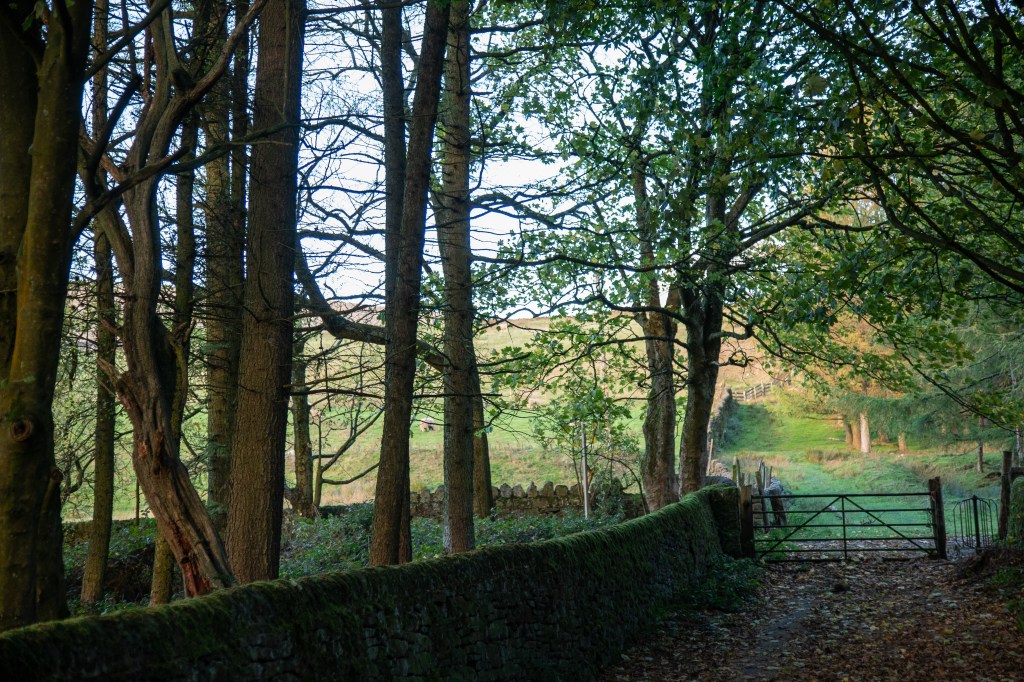
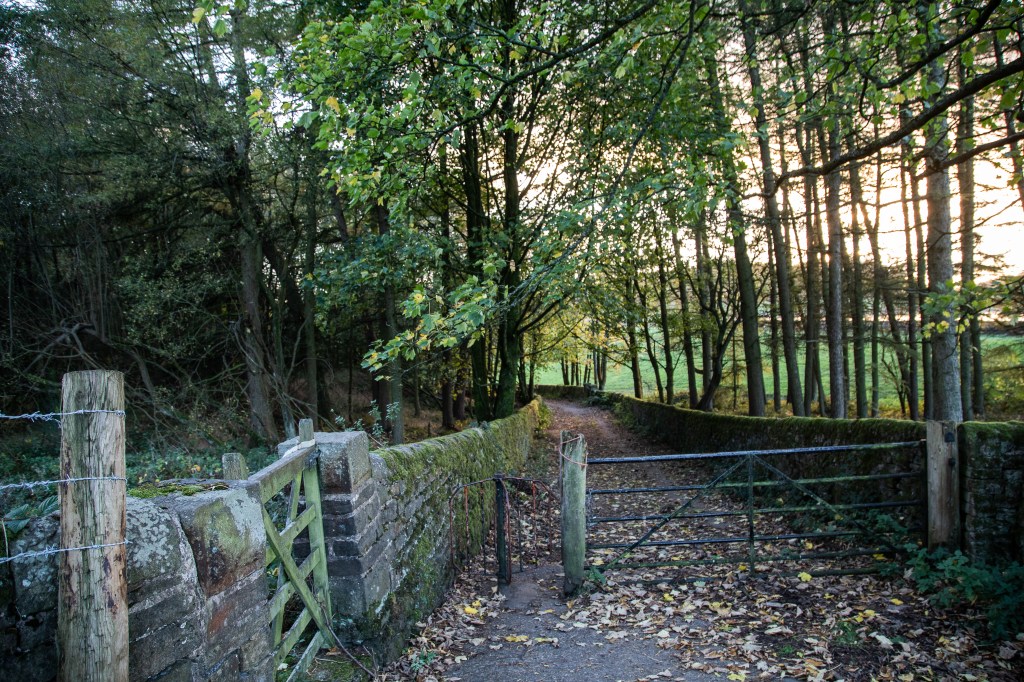
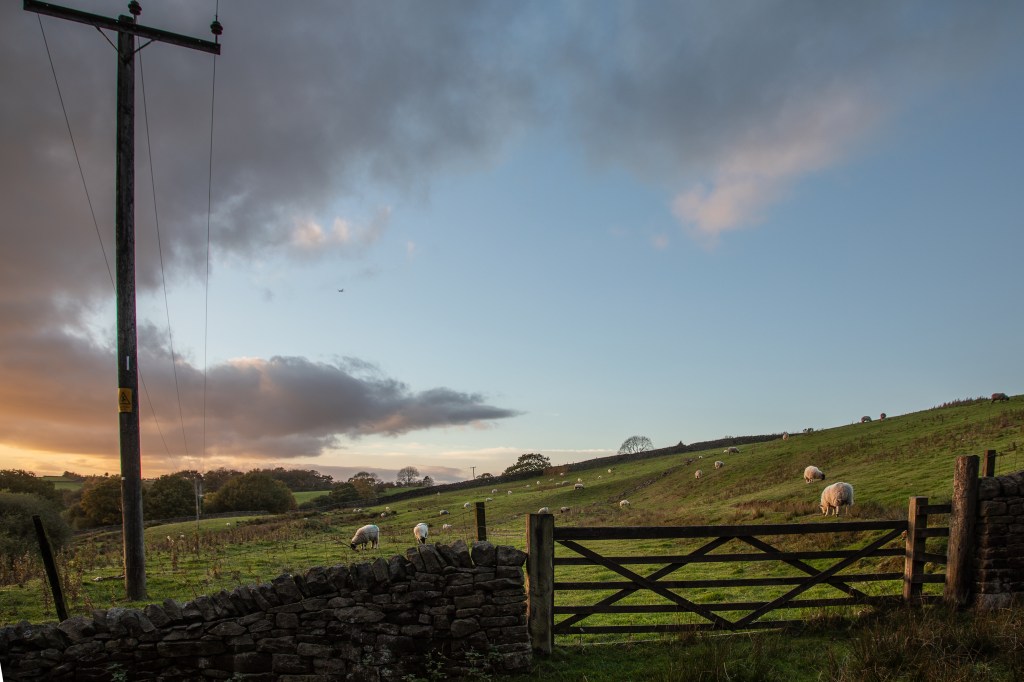
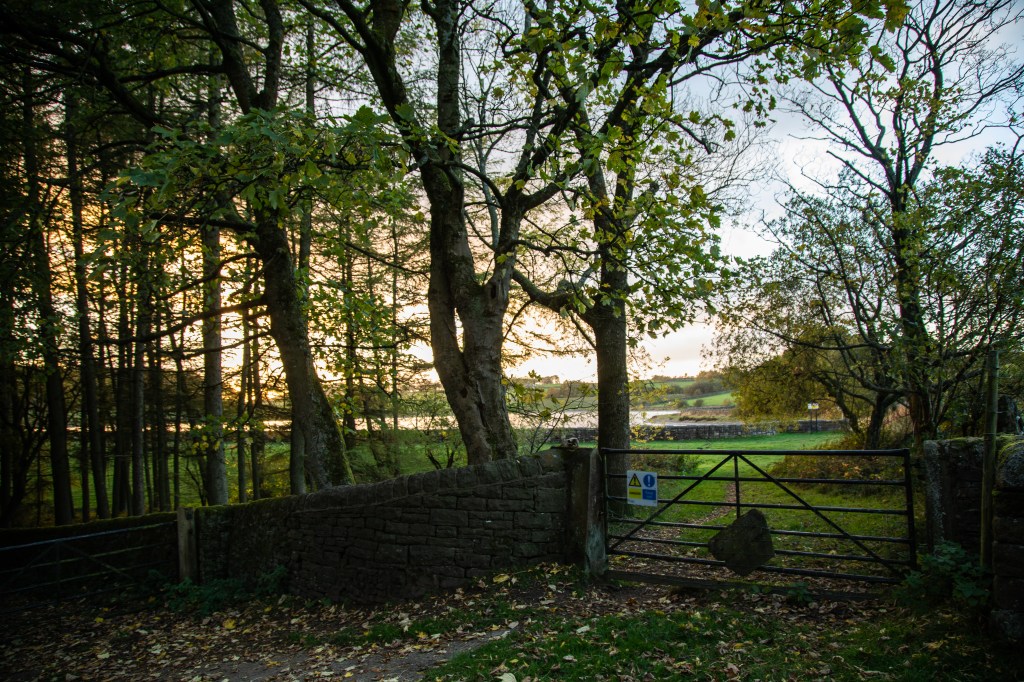
The images I have chosen which I think work as individually and together include these


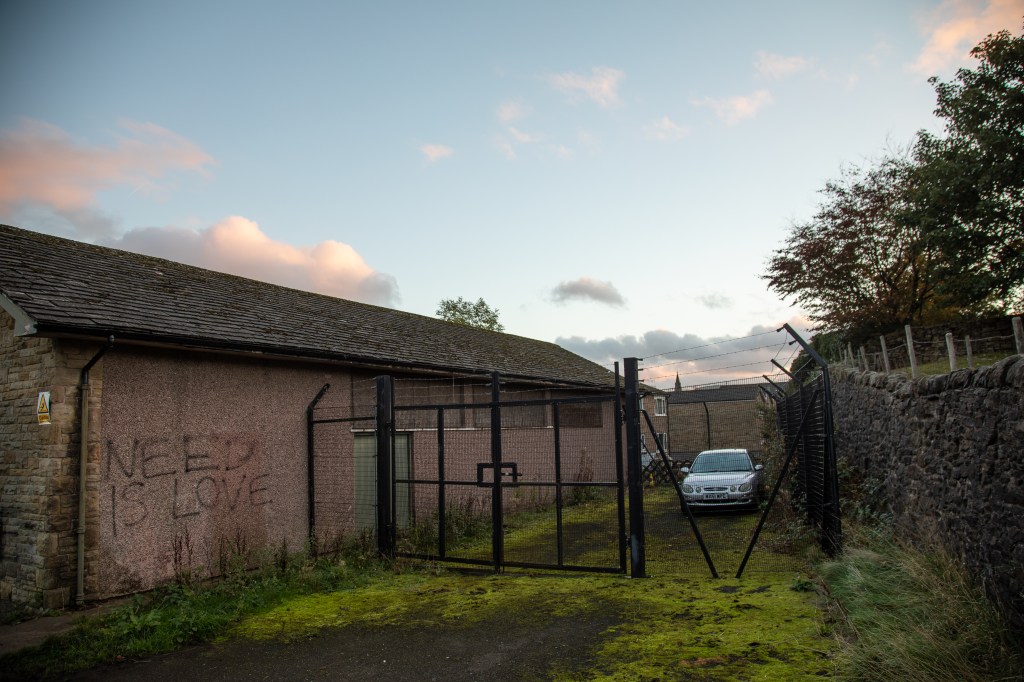
Again, I am struck by how I have concentrated on the content here, as many of these include a gate, although the gate is crucial to the composition to draw the eye into the frame and explore the image. In each image the gate acts as it does in the real world as a divide between distinctive areas with different features. The Blackshaw Clough gate separates the darker woodland from the lighter fields and in the images it is not always possible to see all of what is on the other side.

Other images I took during this exercise also lend themselves to presenting together.

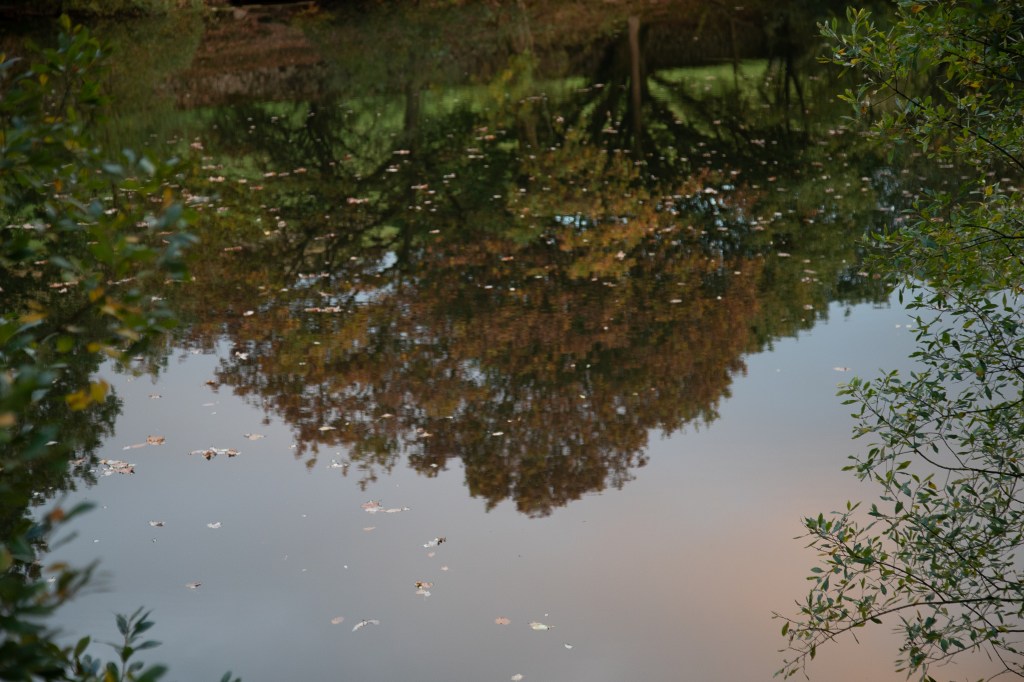
The three images on the lower row here all include a reflection of a tree, and together form a pleasing inverted triangle, similar to the overall shape of the tree.


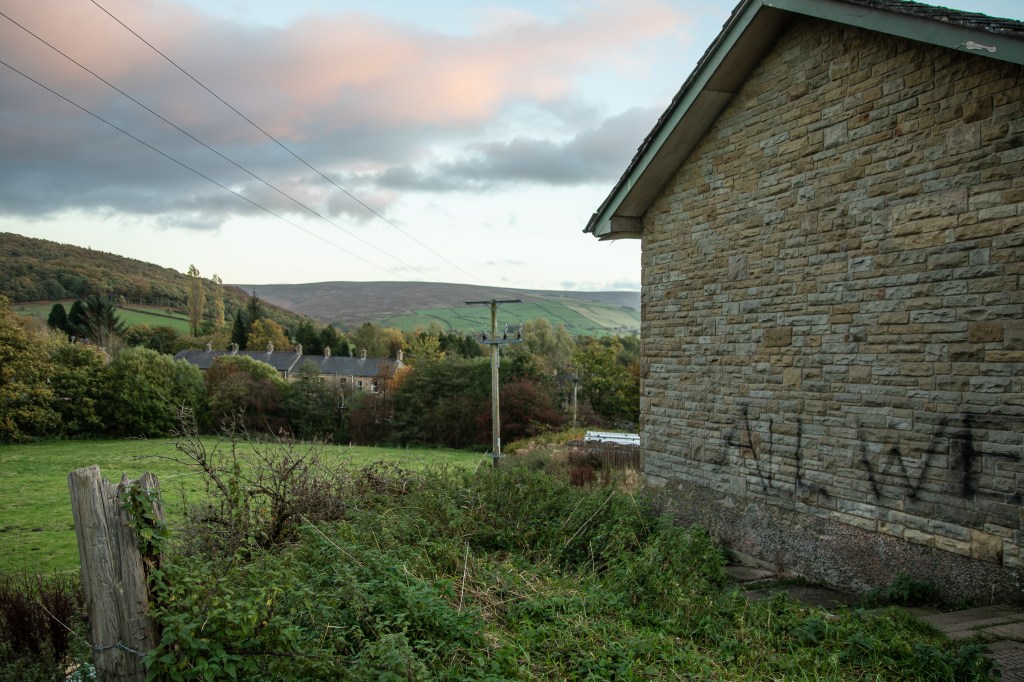
In this series diagonal lines from one image are picked up in the adjacent image, on the top row, the right hand end of the roof, continues as the line of the top of the cloud; in the lower ones the angle of the roof continues from one to the other, effectively suggesting a curve.

Digressing into content for a moment, the graffiti builds up the overall message from one frame to another, the first “All we..” continued in the second as “need is love”; the left hand image on the lower row shows the whole statement, and the last the phrase “need is love|”” again.


Exercise1.3: Line

Brief:

Ex 1.3 (1): Take a number of shots using lines to create a sense of depth.

Ex 1.3 (2) Take a number of shots using lines to flatten the pictorial space.

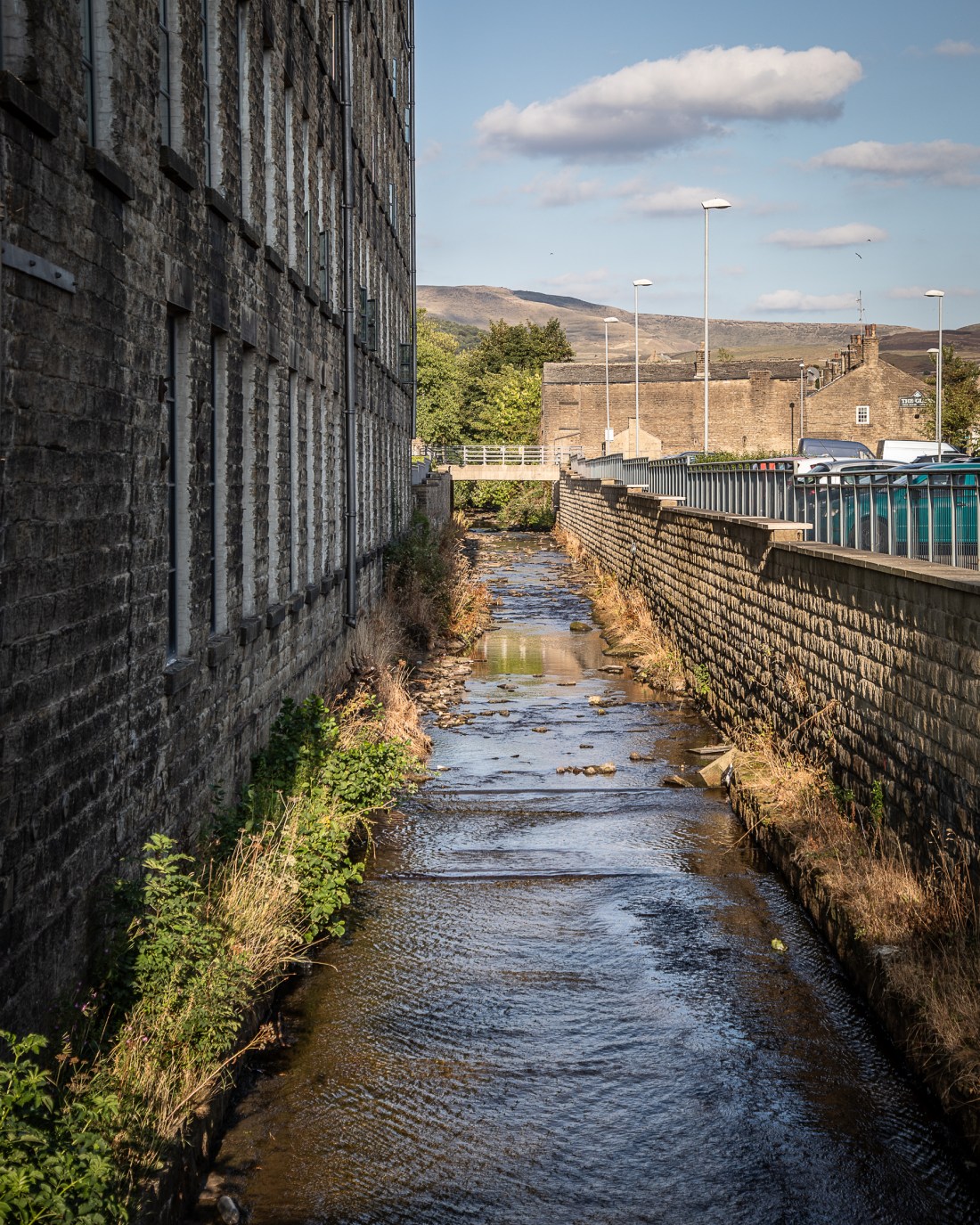
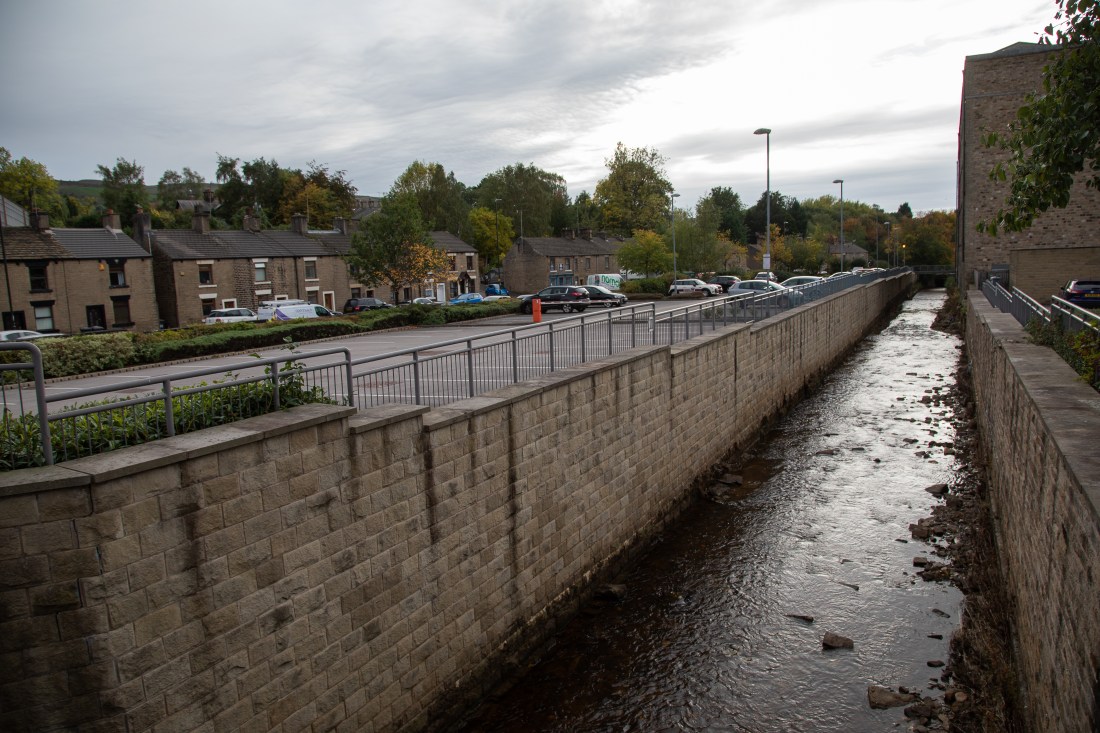
I chose a site I had previously visited for my Assignment Square Mile. The image in this assignment of “Glossop Brook at Wren Nest Mill” has a very linear composition and my tutor commented on the strength of the leading lines in this image.

2018-08-21 Glossop EYV-23
Glossop Brook at Wren Nest Mills

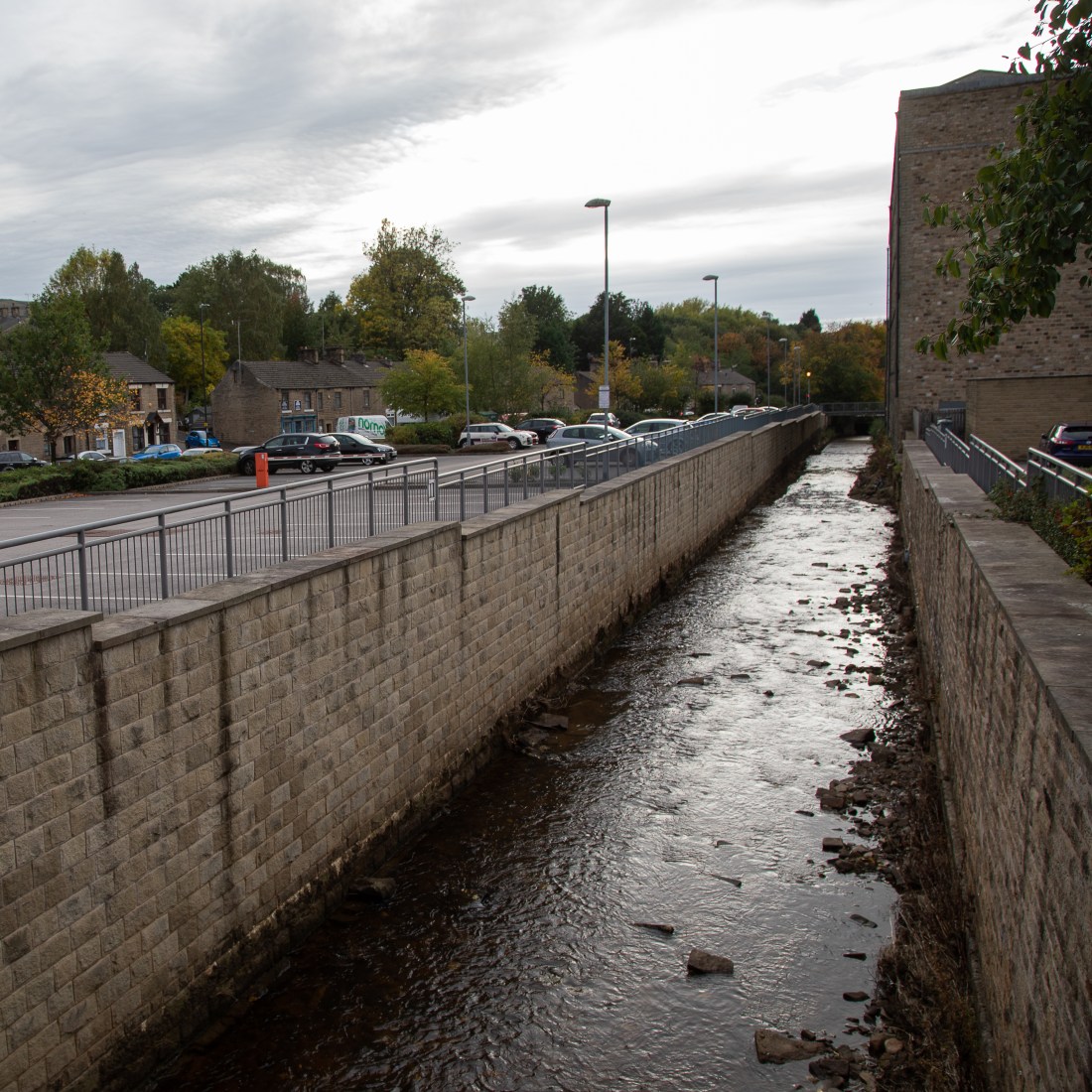
I revisited this area to get further images of this. Contact sheets for this exercise Ex 1.3(1) and Ex 1.3(2) are attached

Contacts Ex 1-3

Exercise 1.3 (1)

I took some shots looking the other way than I had for the image for the Square Mile. They have had minor developments in Lightroom to alter the exposure settings. The images have not been cropped, except where stated.


In these images the lines of the walls at the edge of the Glossop Brook, draw the eye into the image. This seems accentuated by the strong vertical lines of the mill to the right and the lamp-posts to the left, which enhance the image. In the zoomed image (lowest above) the eye is drawn past the bridge to the dark tunnel under the trees.

However, these images are all almost symmetrical with the brook central in the frame. I tried to compose an image with it across the frame.

2018-10-07 EYV Ex1-3-4
Glossop Brook at Wren Nest Mill, looking towards High Street West

Here, the wall on the left bank of the brook is more prominent and the end of the brook is to the edge of the frame, I find my eye is not drawn into this image in the same way, but the wall tends to act as a barrier.

When I cropped this image to square, this block seems removed and the eye is better drawn into the frame.

2018-10-07 EYV Ex1-3-4-2
Glossop Brook at Wren Nest Mill, looking towards High Street West

Exercise 1.3 (2)

The uncropped version of the previous image begins to show how line can be used to flatten the space, and prevent the eye exploring all the image.

I took further images with prominent lines, which I consider demonstrate this futher. Some of these images have been corrected in Lightroom to adjust the effect of vertical perspective and render the upright lines in the image parallel.

2018-10-07 EYV Ex1-3-6
The back of The Globe, Glossop

Although this image clearly includes buildings at different distances from the camera, the railings in the foreground appear to me to effectively prevent the eye from exploring that aspect, but instead allow appreciation of the blocks forms by the different buildings.

Similarly with a slightly differently framed image of the same subject.

2018-10-07 EYV Ex1-3-7
The back of The Globe, Glossop

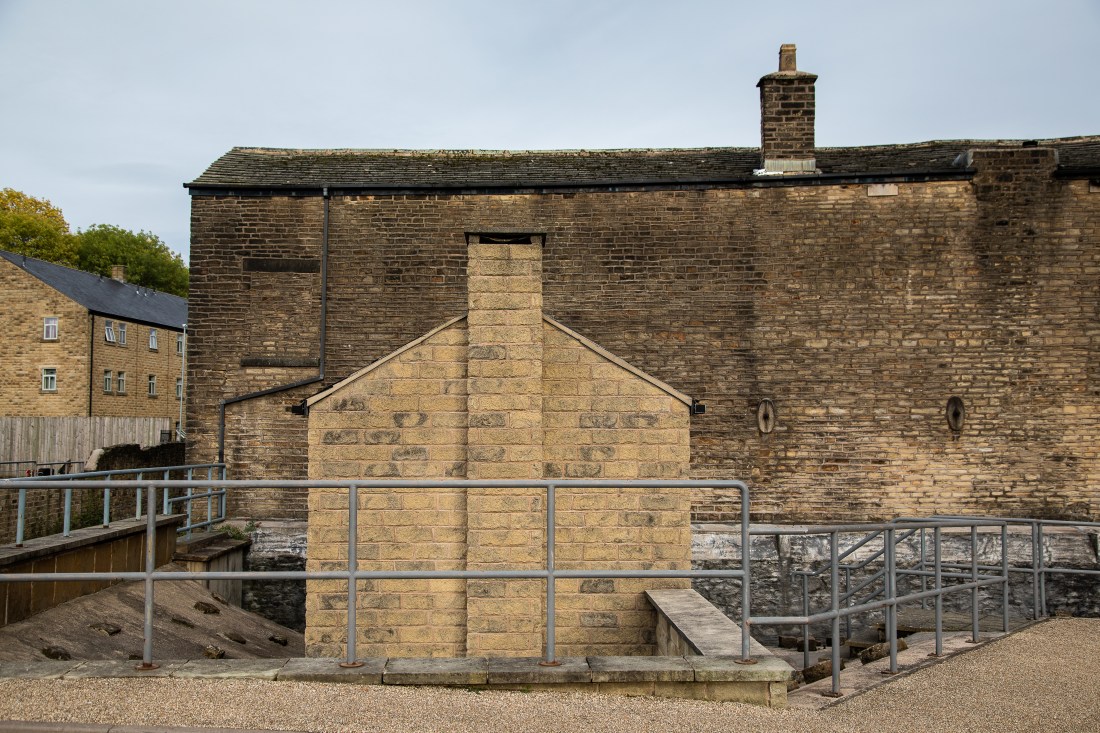
The mill which formed a leading line into the earlier images, can also be rendered flatter by emphasising the horizontal and vertical lines.

2018-10-07 EYV Ex1-3-9
Wren Nest Mill, Glossop

Here the railings in front of the brook appear flattened against the front of the mill, and again the eye can appreciate the blocks of detail of the windows and pattern formed by the stonework (significantly damaged in a fire as can be seen by the smoke staining above the windows).

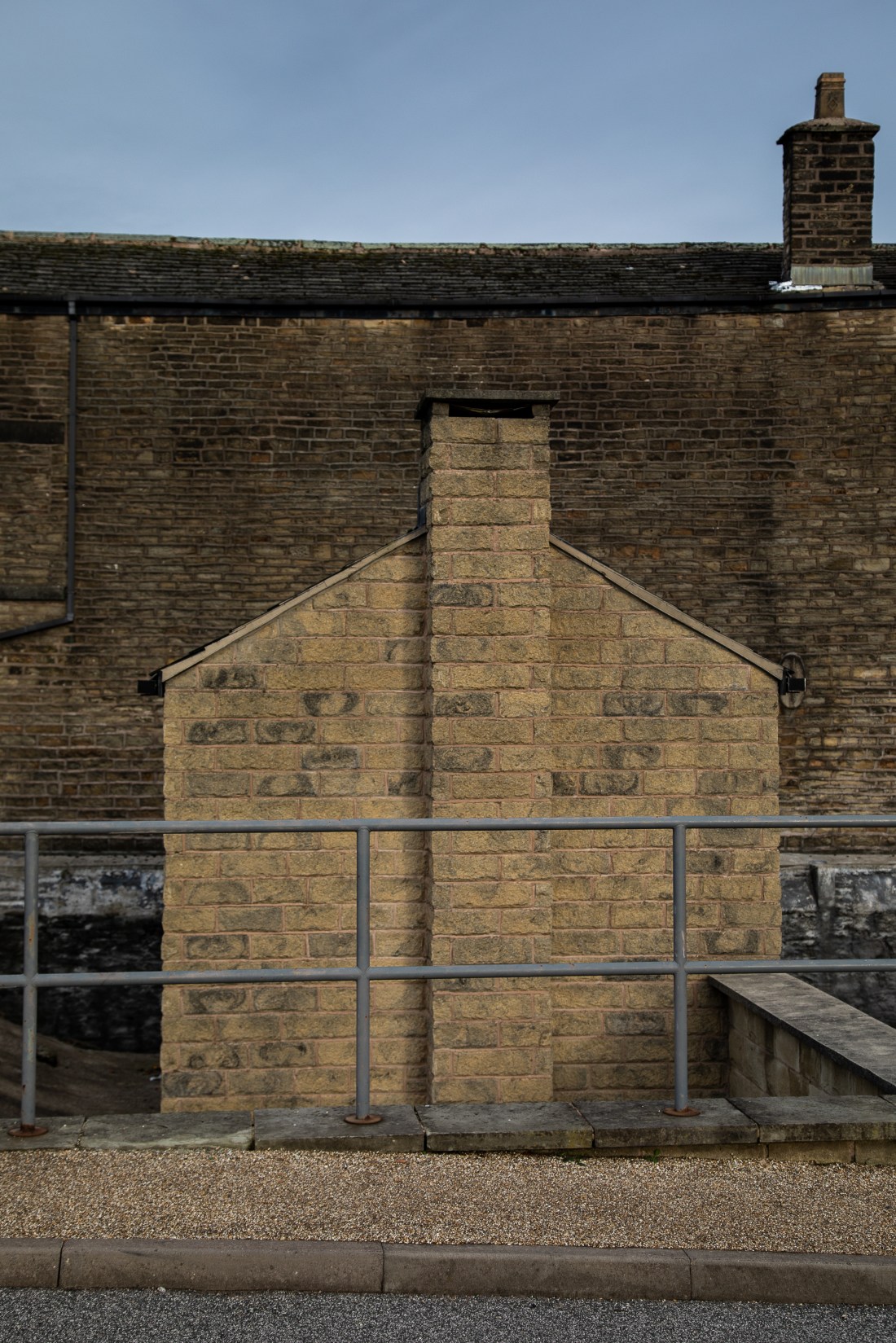
2018-10-07 EYV Ex1-3-10
Wren Nest Mill, Glossop

Here the railings again seem to be a real barrier to going closer into the image.


Exercise 1.2 Point

Brief

“1. Take two or three photographs in which a single point is placed in different parts
of the frame.

2. Take a number of images in which a point is placed in relationship to the frame.”

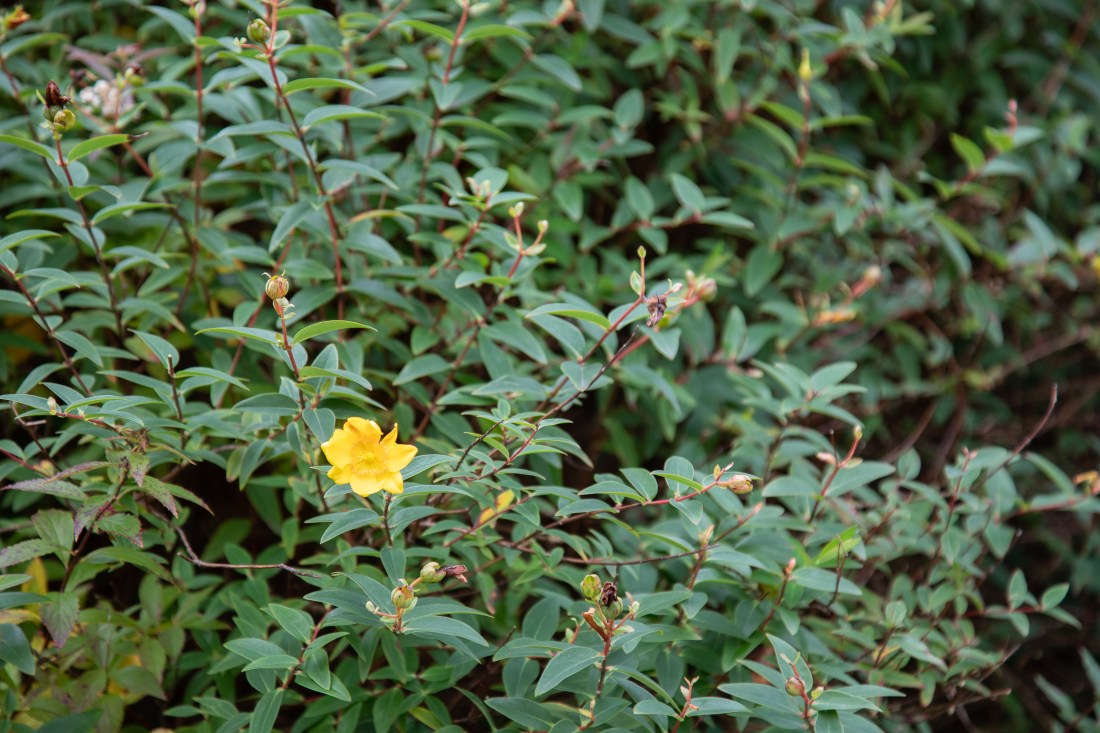
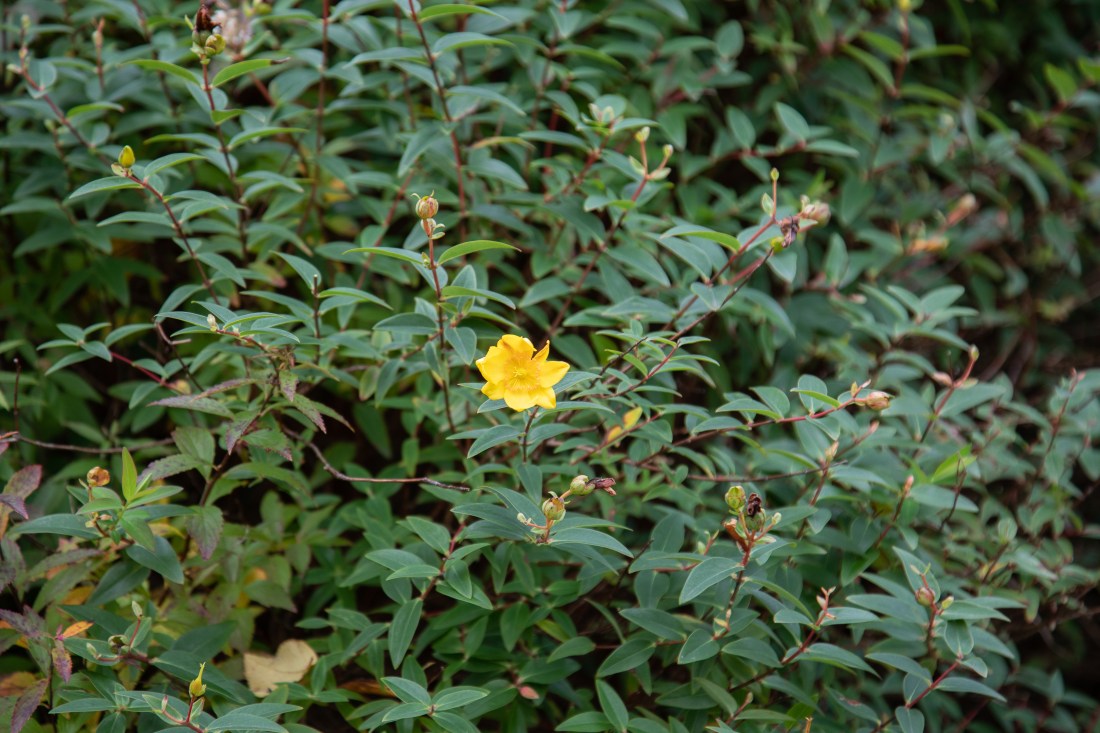
For this exercise I chose to photograph a shrub in the garden with a single yellow flower. I composed the images with the flower in various positions in the frame. I have included here a contact sheet of all the images I took. They are taken with the camera set on Automatic and I have applied slight development settings in Lightroom, to bring out the detail in the petals of the yellow flower. Otherwise there is no post-processing manipulation of the image. In particular, the images are not cropped from the camera.

Contacts Ex 1-2

Evaluation:

The foliage in general was fairly uniform. I found that depending on where the yellow flower was positioned, to a greater or lesser extent my eye is drawn to different areas of the foliage.

2018-10-07 EYV Ex1-2-2
Exercise 1.2 Point: Image 1

In this image (Image 1) the composition seems balanced: the flower is balanced by a darker area of foliage to the right of the image. I had not noticed this when I took the shot. Ther is also a suggestion of a diagonal line running top left to bottom right, formed by the buds of the nearest branches, behind which the foliage is out of focus – again not deliberate.

2018-10-07 EYV Ex1-2-4
Exercise 1.2 Point: Image 2

Similarly with this image where the flower is placed higher in the frame, but again about one third in from the left edge of the frame. It feels balanced and again my eye sees pattern in the rest of the foliage which I had not noticed when I took the shot.

2018-10-07 EYV Ex1-2-3
Exercise 1.2 Point: Image 3

In this image (Image 3) the flower is central and symmetrically balanced by darker areas at each side of the frame. However, I do not find this as satisfactory as the two previous one – I think because of the symmetry removing a feeling of tension in the balance.


In these images (Image 4 and Image 5) the flower is placed at the edge of the frame, and I find my eye almost overlooks it and is drawn to find pattern and interest in other parts of the image. In Image 5 the lighter area to the left has other less contrasting features, but they seem to draw greater attention than I thought they would when I took the shot.


2018-10-07 EYV Ex1-2-6
Exercise 1.2 Point: Image 6

In image 6, the  flower is at the edge of the frame, but unlike the two previous images, further medially, and the eye notices it more. I notice that I see the yellow flower at the top of the image even though it is in the distance and out of focus. I think that this is because my eye goes from the prominent lower flower along a line to the higher one.


Exercise 1.1 My Images – Etherow Lodge Park

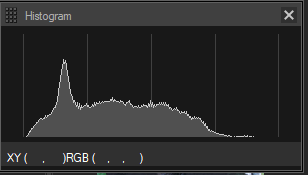
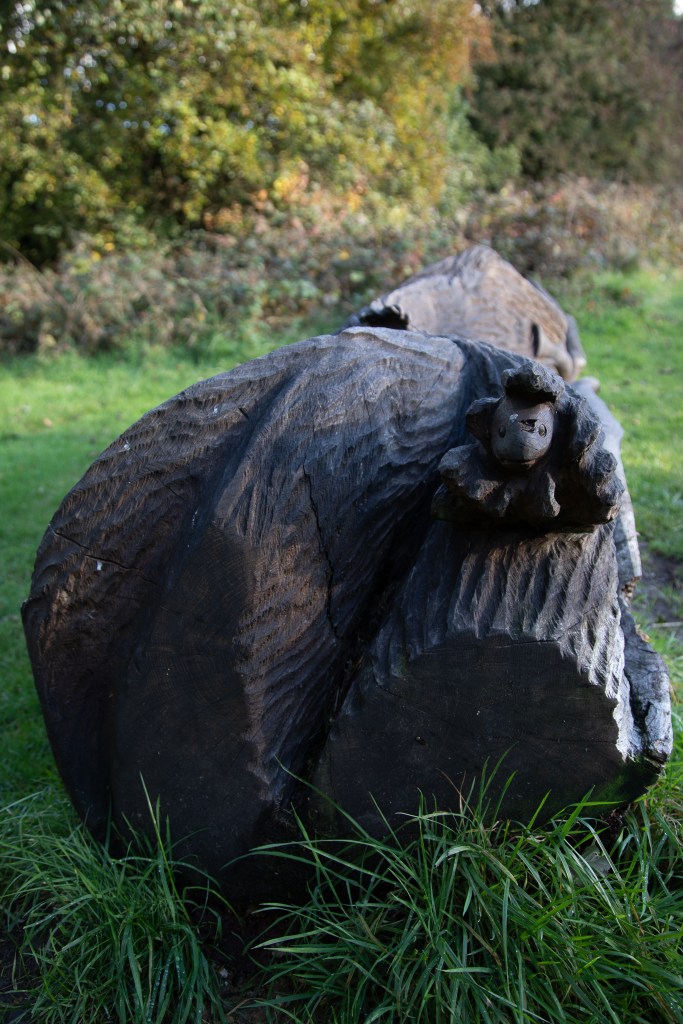
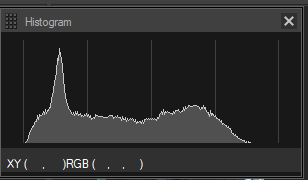
The four images I selected are shown below, with their histogram.

Analysis:

I have shown four sequential images from the middle of the sequence. They are taken over a period of only 37 seconds from 17:41:57 to 17:42:34. In spite of this the lighting is very different in each image. There is a difference in the lighting of the background, and the extent to which the carving in shown to greater or lesser effect by the light casting shadows. In addition, although probably not readily seen on the webpage, the grass in the foreground at the bottom of the carved log bench, moves with the wind.

There is little change in the histogram, however a noticeable feature is that the images with the brighter sunlight have a more prominent peak at the right-hand (lighter) end of the histogram.

I have presented the image meta-data in a separate post (previous to this one).
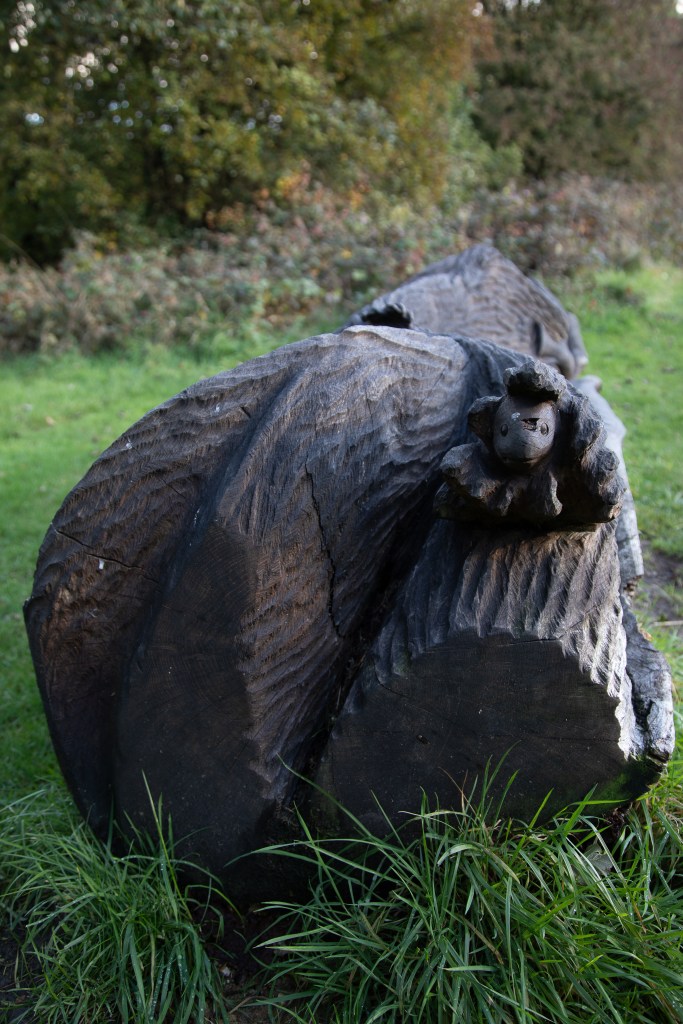
Overall however, to cite Graham’s interpretation of Heraclitus’s assertion that all things change, these are all images of a carved bench, and to see it in various different lighting conditions only enables us to see and understand its features more clearly.

Exercise 1.1 – Methods & Image Meta-data

I put off going out to do this exercise for a few days. The weather had been very overcast and drizzly, and I thought the light was flat and relatively uninteresting. However, one afternoon the cloud broke up and there was intermittent sunshine.

I chose to go in the late afternoon – when the sun was getting low in the sky. The shooting information shows the images were taken from 09:41, however I had forgotten to reset the time zone on my camera since my recent trip to Canada. In fact, I started shooting the sequence at 17:41 (sunset on that day was at 18:32).
I used a tripod to have a consistent image across the sequence. The camera was set to Automatic mode as set out in the brief. The images were saved as RAW files and exported as JPG from Adobe Lightroom for this exercise. They have undergone no post-processing and were exported exactly as shot in that mode.

There were ten images in all and I included four from the middle of the sequence.

Contact sheet of all the images is at Contacts Ex 1-1

I have included here tables of the image information for the four images I selected for this exercise.

File Name 2018-10-06 EYV Ex1-1-3.CR2
File Size 34.7MB
Camera Model Canon EOS 5D Mark IV
Firmware Firmware Version 1.0.4
Shooting Date/Time 06/10/2018 09:41:57
Owner’s Name
Shooting Mode Scene Intelligent Auto
Tv(Shutter Speed) 1/30
Av(Aperture Value) 4.0
Metering Mode Evaluative Metering
Exposure Compensation 0
ISO Speed 125
Auto ISO Speed ON
Lens EF24-105mm f/4L IS USM
Focal Length 32.0mm
Image Size 6720×4480
Crop/aspect ratio 3:2
Image Quality RAW
Flash Off
FE lock OFF
White Balance Mode Auto: Ambience priority
AF Mode AI Focus AF
AF area select mode Automatic selection
Picture Style Auto
Sharpness:Strength 3
Sharpness:Fineness 4
Sharpness:Threshold 4
Contrast 0
Saturation 0
Color tone 0
Color Space sRGB
Long exposure noise reduction Disable
High ISO speed noise reduction Standard
Highlight tone priority Disable
Auto Lighting Optimizer Standard
Anti-flicker shoot. Enable
Peripheral illumination correction Enable
Chromatic aberration correction Enable
Distortion correction Disable
Diffraction correction Enable
Digital Lens Optimizer Disable
Dust Delete Data No
Drive Mode Self-Timer Operation
Live View Shooting OFF
Camera Body No. 203056002032
Comment


File Name 2018-10-06 EYV Ex1-1-4.CR2
File Size 34.4MB
Camera Model Canon EOS 5D Mark IV
Firmware Firmware Version 1.0.4
Shooting Date/Time 06/10/2018 09:42:10
Owner’s Name
Shooting Mode Scene Intelligent Auto
Tv(Shutter Speed) 1/30
Av(Aperture Value) 4.0
Metering Mode Evaluative Metering
Exposure Compensation 0
ISO Speed 125
Auto ISO Speed ON
Lens EF24-105mm f/4L IS USM
Focal Length 32.0mm
Image Size 6720×4480
Crop/aspect ratio 3:2
Image Quality RAW
Flash Off
FE lock OFF
White Balance Mode Auto: Ambience priority
AF Mode AI Focus AF
AF area select mode Automatic selection
Picture Style Auto
Sharpness:Strength 3
Sharpness:Fineness 4
Sharpness:Threshold 4
Contrast 0
Saturation 0
Color tone 0
Color Space sRGB
Long exposure noise reduction Disable
High ISO speed noise reduction Standard
Highlight tone priority Disable
Auto Lighting Optimizer Standard
Anti-flicker shoot. Enable
Peripheral illumination correction Enable
Chromatic aberration correction Enable
Distortion correction Disable
Diffraction correction Enable
Digital Lens Optimizer Disable
Dust Delete Data No
Drive Mode Self-Timer Operation
Live View Shooting OFF
Camera Body No. 203056002032
Comment


File Name 2018-10-06 EYV Ex1-1-5.CR2
File Size 34.5MB
Camera Model Canon EOS 5D Mark IV
Firmware Firmware Version 1.0.4
Shooting Date/Time 06/10/2018 09:42:26
Owner’s Name
Shooting Mode Scene Intelligent Auto
Tv(Shutter Speed) 1/30
Av(Aperture Value) 4.0
Metering Mode Evaluative Metering
Exposure Compensation 0
ISO Speed 100
Auto ISO Speed ON
Lens EF24-105mm f/4L IS USM
Focal Length 32.0mm
Image Size 6720×4480
Crop/aspect ratio 3:2
Image Quality RAW
Flash Off
FE lock OFF
White Balance Mode Auto: Ambience priority
AF Mode AI Focus AF
AF area select mode Automatic selection
Picture Style Auto
Sharpness:Strength 3
Sharpness:Fineness 4
Sharpness:Threshold 4
Contrast 0
Saturation 0
Color tone 0
Color Space sRGB
Long exposure noise reduction Disable
High ISO speed noise reduction Standard
Highlight tone priority Disable
Auto Lighting Optimizer Standard
Anti-flicker shoot. Enable
Peripheral illumination correction Enable
Chromatic aberration correction Enable
Distortion correction Disable
Diffraction correction Enable
Digital Lens Optimizer Disable
Dust Delete Data No
Drive Mode Self-Timer Operation
Live View Shooting OFF
Camera Body No. 203056002032
Comment


File Name 2018-10-06 EYV Ex1-1-6.CR2
File Size 34.7MB
Camera Model Canon EOS 5D Mark IV
Firmware Firmware Version 1.0.4
Shooting Date/Time 06/10/2018 09:42:34
Owner’s Name
Shooting Mode Scene Intelligent Auto
Tv(Shutter Speed) 1/30
Av(Aperture Value) 4.0
Metering Mode Evaluative Metering
Exposure Compensation 0
ISO Speed 100
Auto ISO Speed ON
Lens EF24-105mm f/4L IS USM
Focal Length 32.0mm
Image Size 6720×4480
Crop/aspect ratio 3:2
Image Quality RAW
Flash Off
FE lock OFF
White Balance Mode Auto: Ambience priority
AF Mode AI Focus AF
AF area select mode Automatic selection
Picture Style Auto
Sharpness:Strength 3
Sharpness:Fineness 4
Sharpness:Threshold 4
Contrast 0
Saturation 0
Color tone 0
Color Space sRGB
Long exposure noise reduction Disable
High ISO speed noise reduction Standard
Highlight tone priority Disable
Auto Lighting Optimizer Standard
Anti-flicker shoot. Enable
Peripheral illumination correction Enable
Chromatic aberration correction Enable
Distortion correction Disable
Diffraction correction Enable
Digital Lens Optimizer Disable
Dust Delete Data No
Drive Mode Self-Timer Operation
Live View Shooting OFF
Camera Body No. 203056002032
Comment


Exercise 1.1 “You can’t step into the same river twice”


This quotation, or rather the sense of it, is generally attributed to Heraclitus, a Greek philosopher of Ephesus (near modern Kuşadası, Turkey) who was active around 500 BCE. He proposed a doctrine that things are constantly changing, the flux doctrine.

The above quotation is attributed to Plato’s statement about Heraclitus’s work:

“Heraclitus, I believe, says that all things pass and nothing stays, and comparing existing things to the flow of a river, he says you could not step twice into the same river.”

(Plato Cratylus 402a, as cited in Graham, Daniel W., “Heraclitus”, The Stanford Encyclopedia of Philosophy (Fall 2015 Edition), Edward N. Zalta (ed.),

URL = <https://plato.stanford.edu/archives/fall2015/entries/heraclitus/&gt;.

Graham (2015, op.cit. above), suggests however, that an interpretation of Heraclitus’s reference to the river, “is not that all things are changing so that we cannot encounter them twice, but something much more subtle and profound. It is that some things stay the same only by changing”. He suggests that, for example, a human body only achieves constancy, by virtue of its constant metabolism. Therefore while Heraclitus believed in flux, not as destructive of constancy, rather as a necessary condition of constancy.

This is an interesting concept related to the earlier exercise of the Square Mile, in which I tried to examine how environments change over time. However while the visual appearance alters, it could be considered that, in the case of my study, Glossop as a town remained constant – only by changing over time as economic and technological developments affected it.